
PromicsEdge multi-factor authentication
Multi-factor authentication (MFA) adds a second verification step to your PromicsEdge login. You sign in with your email and password as usual, then confirm with a code sent to your registered email — so your dashboard and client data stay protected even if your password is compromised.
General Guidelines
- MFA is strongly recommended for all PromicsEdge accounts.
- You'll need access to the email address on file to complete setup.
- Once enabled, MFA is required every time you log in to your PromicsEdge account.
- If you lose access to your email address, contact support@promicsedge.com to regain access.
How to Enable MFA
-
At login, select Enable Multi-Factor Authentication.
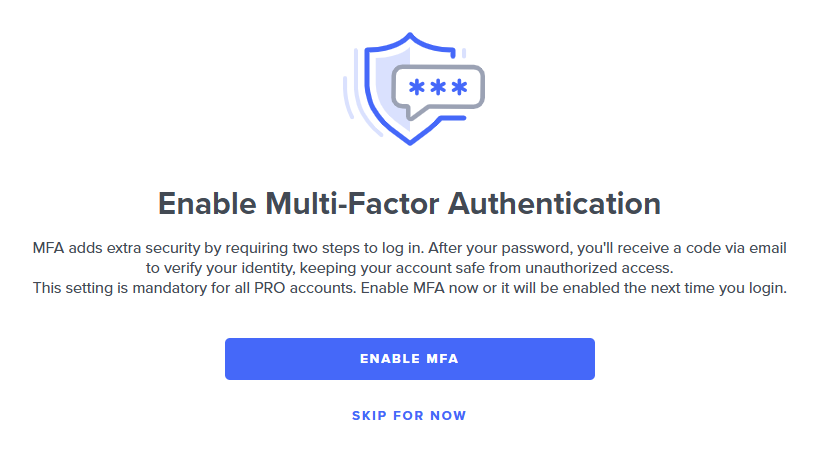
- Select Enable MFA to finish setup, or Skip for now if you're not ready (you'll be prompted again at your next login).
-
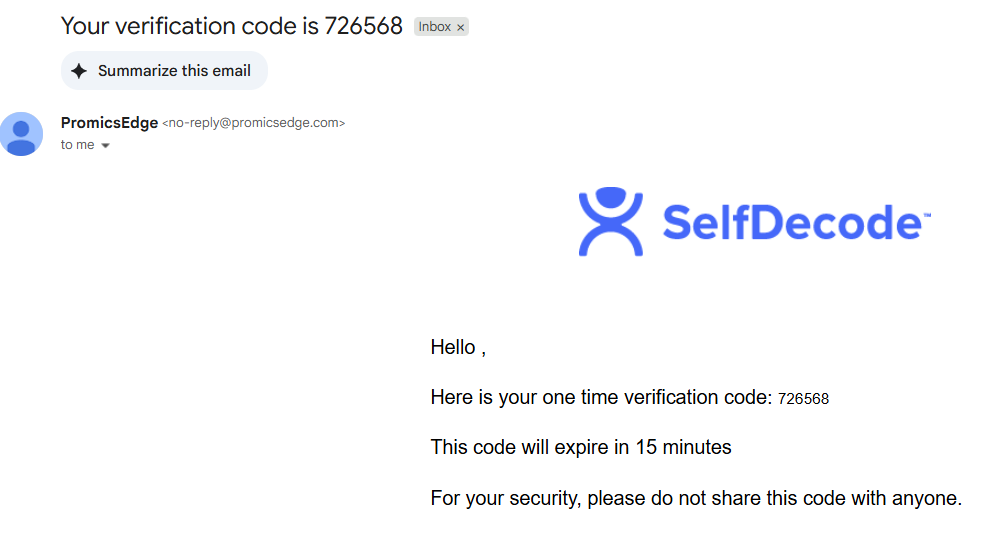
Check your inbox for your verification code.
-
Enter the verification code on the PromicsEdge login page.
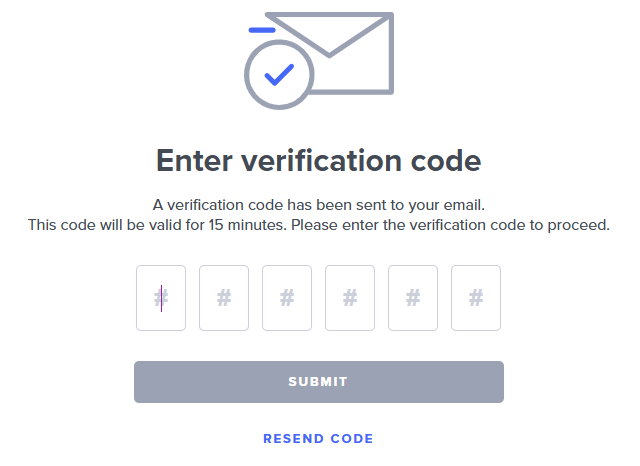
- Select Submit.
- Your MFA is verified and you gain access to your account.
