
How to Download your Client’s PromicsEdge WGS Raw Files (gVCF, CRAM, and FASTQ)
How to Download a Client's WGS Raw Files (gVCF, CRAM, and FASTQ)
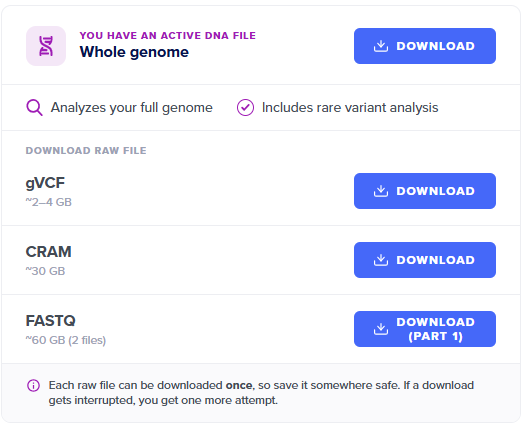
If your client ordered Whole Genome Scanning (WGS), you can download their raw gVCF, CRAM, and FASTQ files directly from their Client Overview page.
By default, each file can only be downloaded once per client — the limit applies to your client's profile. If your client is connected, and already downloaded a file from their own account, you won't be able to download that same file unless you contact Customer Support first.
Important: These are very large files. Before downloading, make sure your device has enough free storage space.
Steps:
- Log in to your PromicsEdge account.
- From your client list, click the client's name to open their Client Overview page.
- Scroll all the way down to the bottom of the page
- Find the file you want — gVCF, CRAM, or FASTQ — and select Download.
Running into a failed download, or need another attempt for you or your client? Reach out to support@selfdecode.com and we'll take a look.